
CASE STUDY 04 / EXPERIMENTAL AI INTERFACES
PromptUI. An answer you can work with.
Some tasks need more than a paragraph. PromptUI explores how an AI answer can become a table, a chart, a form, or a sequence of steps that the user can continue working through.
- My role
- Experimental React workspace and Bun gateway
- Useful for your project
- AI interface prototypes and integration experiments
From a prompt to a useful interface
I built an experimental single-user workspace where the task determines the shape of the response. Starter prompts cover decisions, planning, learning, data, writing, and debugging.
The aim is to make an answer easier to inspect and refine, with conversational follow-ups alongside the generated interface.
The workspace
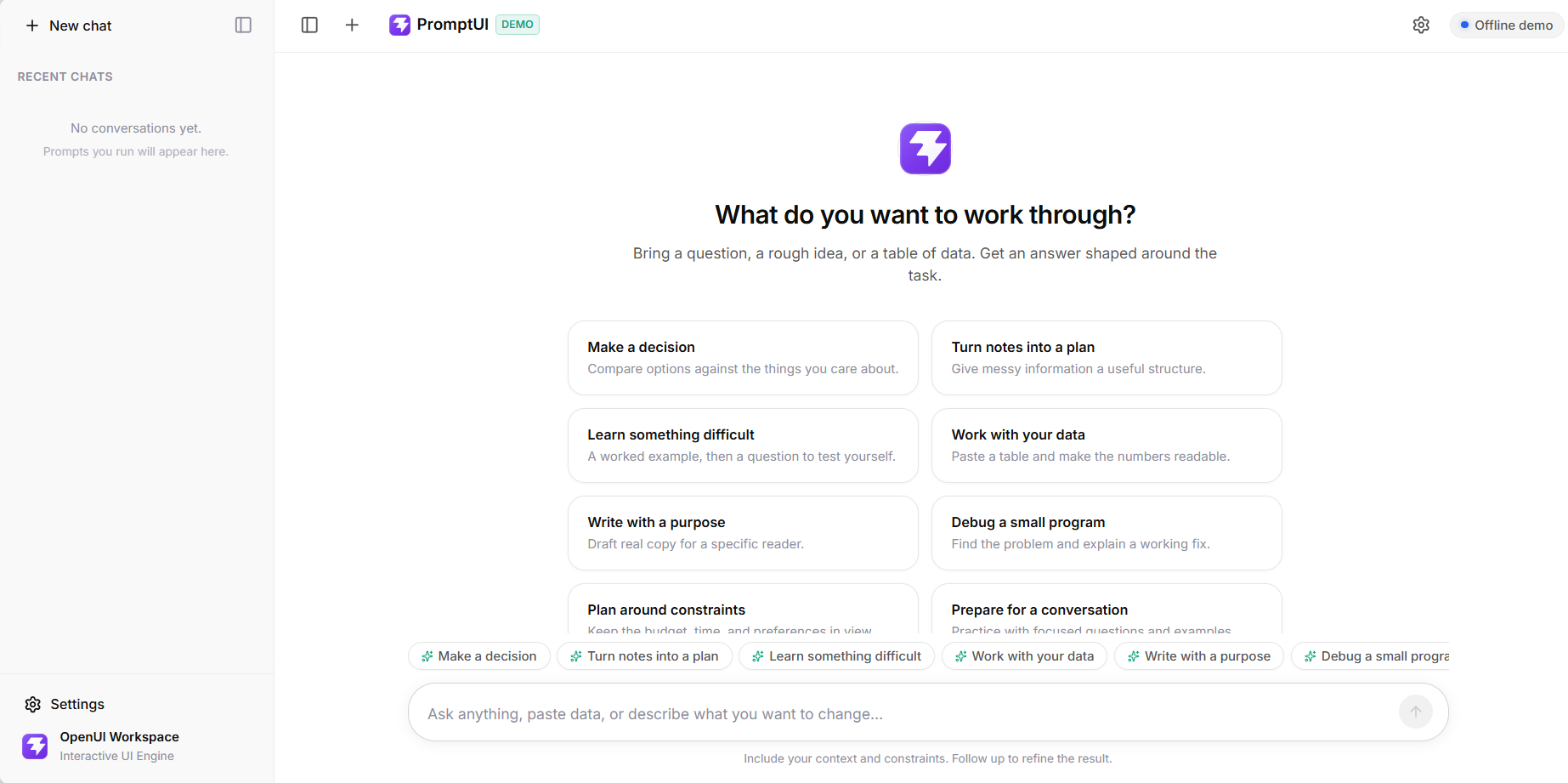
The sidebar holds recent chats for the current session. Starter tasks give a first-time visitor something concrete to try; the composer accepts a question, notes, or pasted data. A rendered/source toggle makes generated output inspectable.
Streaming, rendering, and recovery
- Task → Bun gateway
- Model → streamed OpenUI
- React → interactive response
The React interface sends conversation messages through a Bun gateway to OpenAI. Task-specific instructions and the OpenUI component schema guide the output. Server-sent events deliver the response progressively, and OpenUI renders it in React.
Buttons and forms continue the conversation; they do not execute external business actions. A text fallback and a repair action handle unusable interface output. Cancellation reaches the provider, and a failed live request keeps any partial output with a visible error.
A clear boundary between demo and live AI
The offline mode renders supplied CSV data and a small set of fixed, labeled examples. It does not claim to generate personalized model answers. Live request failures are shown as failures rather than silently replaced by sample content.
Chat history and a user-supplied API key stay in session memory and clear on reload. A server-configured key remains on the backend. The project is a local experiment; a public service would need access controls, rate limits, and a trusted HTTPS backend.
What the experiment demonstrates
PromptUI explores a complete interaction loop: task selection, streamed interface generation, source inspection, conversational refinement, and recovery when generation fails.
It demonstrates AI interface integration, without claiming production deployment, persistent accounts, cloud sync, or external tool execution.
Look inside PromptUI
Explore the source and setup instructions ↗
Want AI to support a specific workflow? Start with the task people need to finish and the information they can trust.
Discuss your project ↗